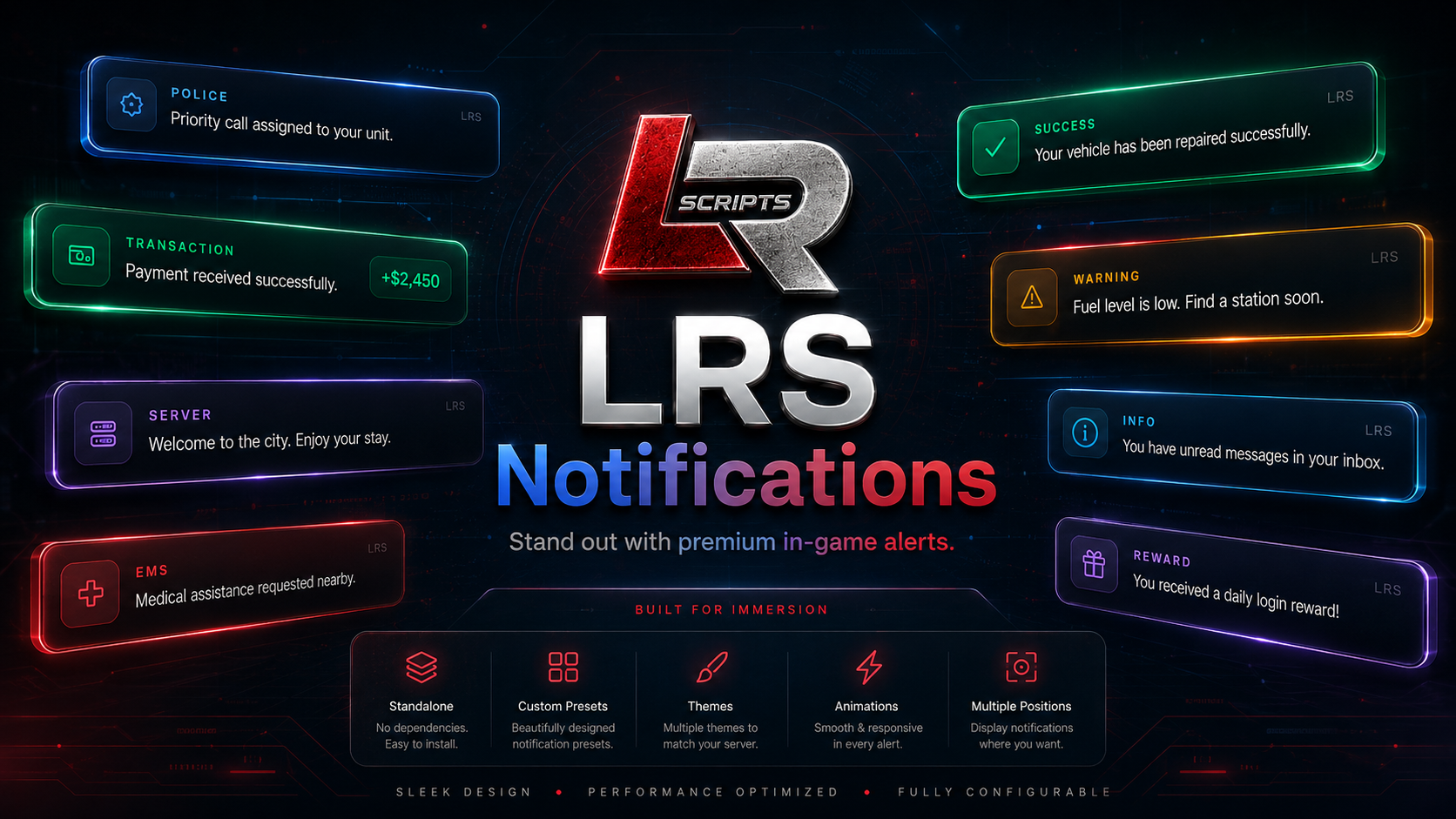
LRS Notifications
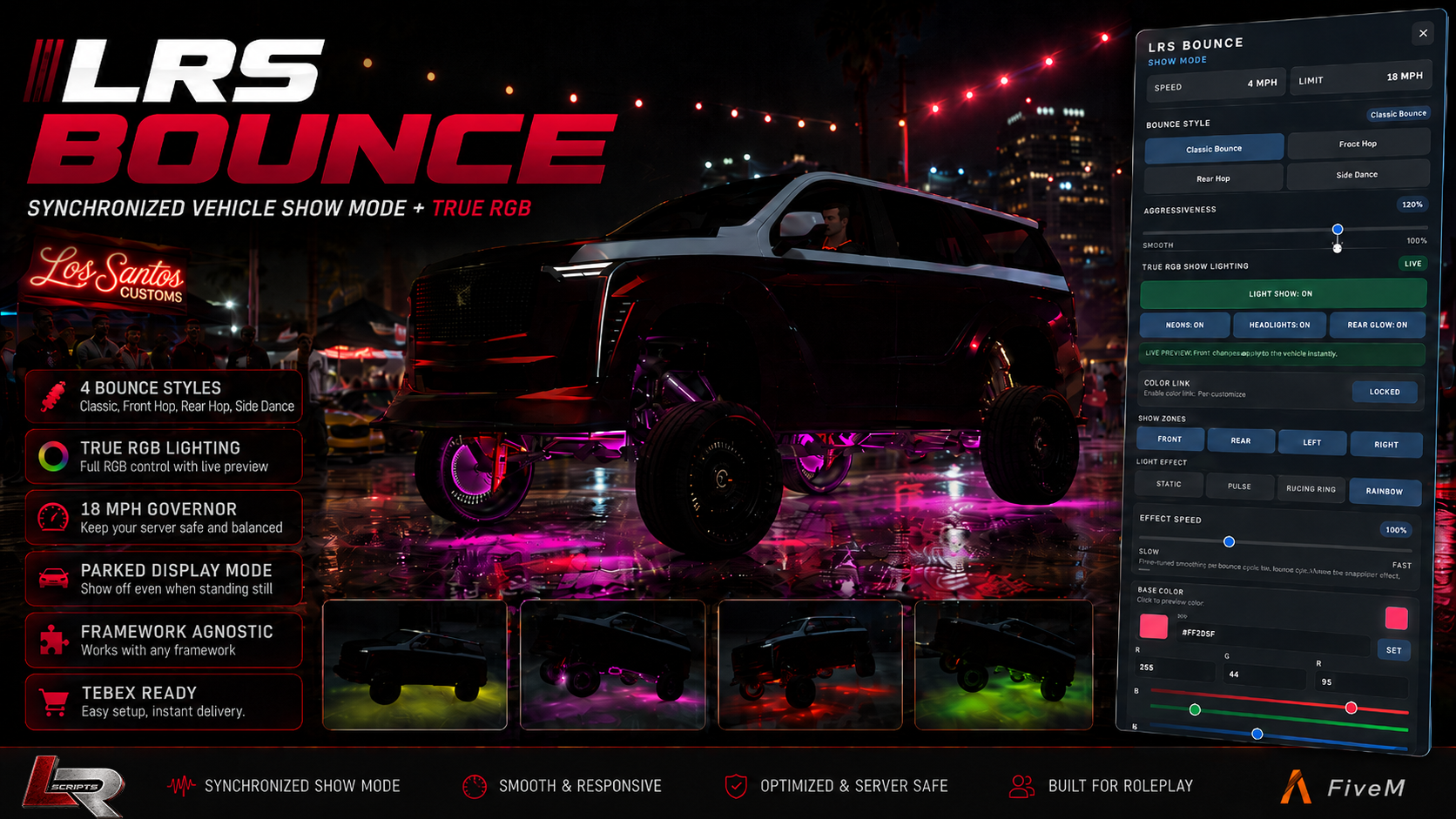
LRS BOUNCE
LRS Notifications
LRS Notifications — Premium Standalone FiveM Notification System
Give your server a cleaner, more polished feel with LRS Notifications, a lightweight standalone notification system designed for modern FiveM servers.
Built to work without QBCore or ESX dependencies, LRS Notifications gives developers and server owners a flexible notification system that can be used across almost any resource through simple client events and exports.
Features
- 9 built-in presets — Success, Error, Warning, Info, Police, EMS, Mechanic, Money and Server
- 5 notification modes — Standard, Announcement, Emergency, Transaction and Persistent
- 5 themes — Signature, Glass, Solid, Minimal and Neon
- 3 layouts — Standard, Compact and Capsule
- 4 animations — Slide, Fade, Bounce and Zoom
- 6 configurable screen positions
- Persistent notifications with ID-based updating and dismissal
- Transaction alerts with amount display
- Smart duplicate grouping to reduce notification spam
- Duplicate sound throttling
- Built-in generated notification sounds with configurable volume
- Custom notification colors and accents
- Per-notification control over title, subtitle, icon, duration, layout, theme, position and animation
- Client events and exports
- Safe server-side exports
- Resolution-aware scaling
- Reduced-motion support
- No permanent Lua polling loop
- Fully standalone and easy to integrate
LRS Notifications is ideal for police alerts, EMS notifications, mechanic messages, banking transactions, server announcements, warnings, success messages, persistent status notices and custom resource integrations.
Installation is simple: add lrs_notify to your resources, ensure it in server.cfg, and connect your scripts using the included exports/events.
Framework: Standalone
Dependencies: None
Current Release: 1.1.0
Author: LRSCRIPTS
A polished notification system built for servers that want their UI to feel consistent, responsive and professional.
LRS BOUNCE
LRS Bounce — Synchronized Vehicle Show Mode + True RGB
Turn car meets, cruises, lowrider scenes, and showcase events into something people actually stop to watch.
LRS Bounce is a synchronized FiveM vehicle Show Mode system featuring multiple suspension bounce styles, adjustable aggressiveness, parked display support, and a full True RGB vehicle lighting system.
Built for server owners who want a polished vehicle-show experience without forcing a specific framework or database.
Features
-
4 synchronized bounce styles
- Classic Bounce
- Front Hop
- Rear Hop
- Side Dance
-
Adjustable aggressiveness
- 50%–150%
- Smooth-to-wild suspension movement
- Protected internal vehicle calibration
-
True RGB Show Lighting
- Neon / underglow
- RGB xenon headlights
- RGB rear glow
- HEX + RGB color controls
- Linked or independent lighting colors
- Live vehicle color preview
-
Individual neon zones
- Front
- Rear
- Left
- Right
-
Lighting effects
- Static
- Pulse
- Bounce Sync
- Rainbow
- Adjustable effect speed
-
Parked Display Mode
- Keep Show Mode and lighting active when the driver exits
- Perfect for car meets and parked vehicle displays
-
Speed protection
- Default 18 MPH Show Mode governor
- High-speed activation protection
- Configurable speed limit
-
Compact player control panel
- Current speed
- Show Mode limit
- Bounce style
- Aggressiveness
- RGB controls
- Lighting zones
- Lighting effects
- Effect speed
Built-In Administration
LRS Bounce includes an in-game administration system through:
/bounceadmin
Configure server-wide behavior without digging through files every time.
Admin access uses the dedicated ACE permission:
lrs.bounce.admin
Example:
add_ace group.admin lrs.bounce.admin allow
Vehicle Access
Choose how vehicles are allowed to use Show Mode:
- Universal vehicles
- Blacklist
- Allowlist
Per-vehicle tuning overrides are also available for unusual addon vehicles with different suspension, mass, or wheelbase behavior.
Player Access
Supported access modes include:
- Everyone
- ACE permissions
- Framework job/group access
- ACE or job
- Custom integrations
Optional Show Mode Kits
Want mechanics, dealerships, or garages to install Show Mode instead of giving it to every vehicle?
LRS Bounce supports an optional Show Mode Kit system.
Run the resource in:
- Universal / no-kit-required mode
or
- Installed Show Mode Kit mode
Commands
/bounce
Enable or disable Show Mode.
/bounceStyle
Cycle through available bounce styles.
/bouncePanel
Focus or unfocus the player control panel.
/bounceadmin
Open the server administration panel.
Compatibility
Platform: FiveM
Framework: Standalone / Framework Agnostic
Database: None required
Required Dependencies: None
OneSync: Recommended
Optional framework detection supports:
- QBCore
- Qbox / QBX
- ESX Legacy
- ox_core
- ND Core
Optional integration:
-
lrs_notify
If LRS Notify is not installed, LRS Bounce automatically uses its built-in notification fallback.
Performance
LRS Bounce is designed with car-meet environments in mind and includes:
- synchronized vehicle state handling
- lighting distance LOD
- optimized RGB processing
- controlled update timing
- no forced default keybinds
Configuration
Server owners retain control over important settings including:
- access modes
- vehicle policies
- speed limits
- commands
- RGB defaults
- Show Mode Kit requirements
- admin configuration
- vehicle-specific tuning
- custom integrations
Customer-facing configuration and integration files remain editable while proprietary internal Lua implementation is protected through selective Cfx.re Asset Escrow.
Version
LRS Bounce v1.5.30
Built and published by LRSCRIPTS.
Premium FiveM resources built for roleplay, customization, and server owners who want more than basic scripts.
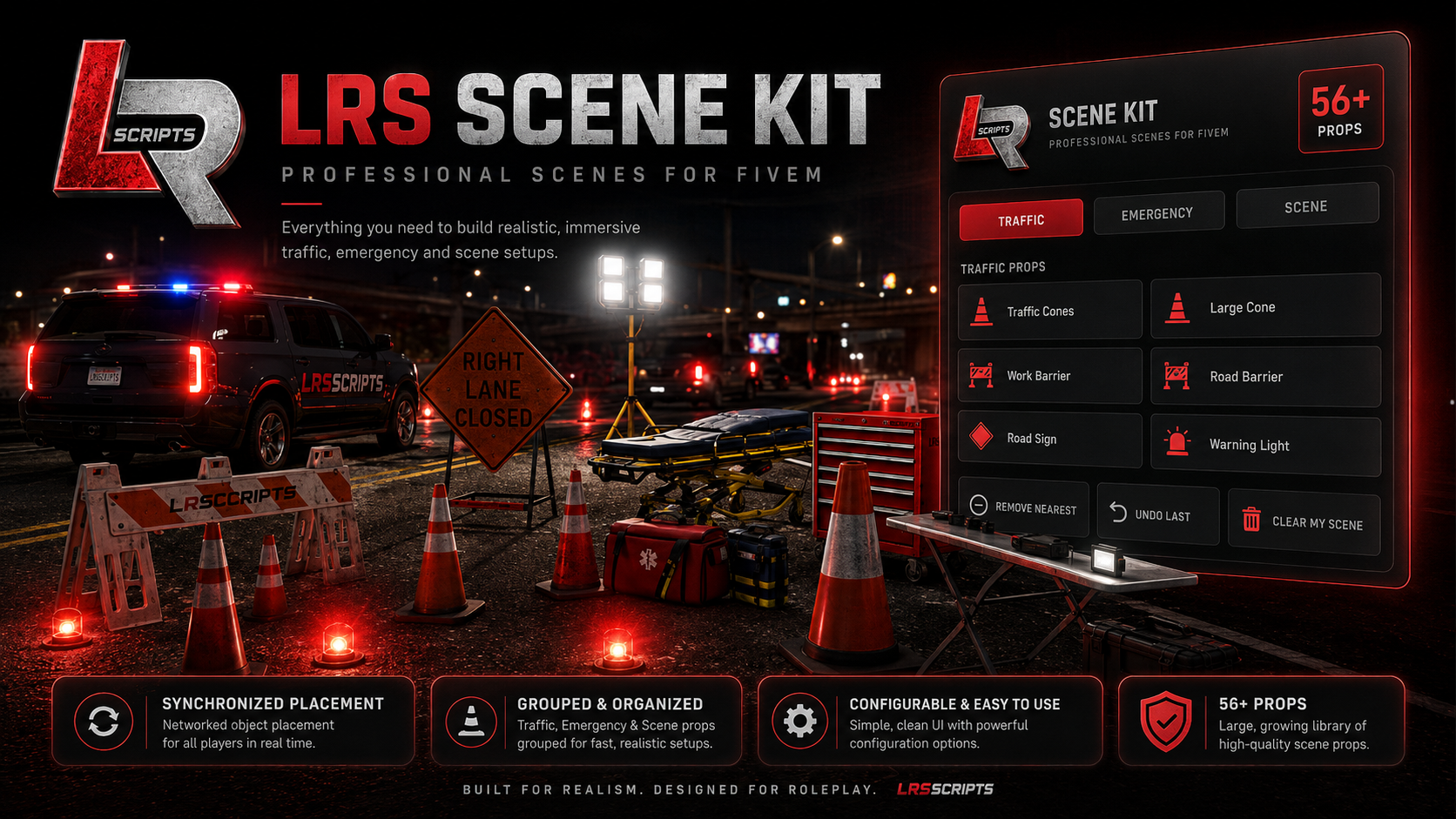
LRS Scene Kit
LRS Scene Kit gives police, EMS, mechanics, towing, DOT, staff, and roleplay teams a fast way to build realistic temporary scenes directly in-game. Open the Scene Kit, choose a prop, preview it as a transparent ghost in the world, rotate it into position, and place it exactly where you want.
Placed equipment is synchronized for players and organized into dedicated Traffic, Emergency, and Scene categories, making it easy to build road closures, accident scenes, emergency response areas, work zones, command posts, vehicle recovery scenes, and more.
Features
- 56+ included scene props
- Traffic, Emergency, and Scene categories
- Traffic cones, barriers, road-control equipment, fencing and signs
- Emergency lighting and work lights
- Medical and emergency equipment
- Stretcher / medical scene equipment
- Fire extinguisher and safety equipment
- Generators and utility equipment
- Police equipment including spike strips and scene gear
- Tables, chairs and command-post equipment
- Toolboxes, workbenches and mechanic/tow equipment
- Ladders, crates, pallets, drums, bags and staging props
- Ghost preview before placement
- Mouse-wheel rotation
- Fine rotation using Shift + Mouse Wheel
- Automatic ground positioning for different-sized props
- Synchronized world placement
- Undo Last
- Remove Nearest
- Clear My Scene
- Admin-only global scene cleanup
- Per-player placement limits
- Server-wide prop limits
- Job and ACE permission support
- Routing-bucket-aware placement
- Automatic cleanup options
- No database required
- Cfx.re Asset Escrow protected core
- Editable configuration and locale files
How It Works
Use:
/scenekit
Select a category and choose the equipment you want to place.
A ghost version of the selected prop appears in the world so you can position it before committing it.
E — Place
Mouse Wheel — Rotate
Shift + Mouse Wheel — Fine Rotate
Backspace — Cancel
Once placed, the prop becomes part of the synchronized scene.
Administrators can also use:
/scenekitclearall
to remove all active Scene Kit props when needed.
Fully Configurable
Server owners can extend LRS Scene Kit through config.lua without editing the protected core.
You can configure and add your own:
- Prop categories
- Category names and descriptions
- GTA V prop models
- Custom prop labels
- Prop placement offsets
- Allowed jobs
- Minimum job grades
- ACE permissions
- On-duty requirements
- Per-player prop limits
- Server-wide prop limits
- Placement distance
- Removal distance
- Ghost transparency
- Rotation speed
- Fine rotation speed
- Cleanup behavior
- Notification provider
- Command names
- Locale settings
This means the included library is only the starting point. If a GTA V prop exists and works as a networked object, you can add it to your own Scene Kit categories through the configuration.
Notification Support
LRS Scene Kit automatically prefers LRS Notify when installed.
If LRS Notify is not running, the resource automatically falls back to supported alternatives:
LRS Notify → ox_lib → Qbox/QBCore/ESX → native FiveM notification
LRS Notify is not required.
Framework Support
Designed to work with:
QBCore
Qbox
ESX
Standalone / ACE permissions
Distribution
LRS Scene Kit is an official FREE LRSCRIPTS resource.
The supported Lua core is protected using Cfx.re Asset Escrow, while customer-editable configuration and localization files remain accessible.
Free does not mean open source. Redistribution, resale, re-uploading, removing LRSCRIPTS ownership notices, claiming the resource as your own, or attempting to bypass Asset Escrow is prohibited.
Price: FREE
Author: LRSCRIPTS
Website: lrscripts.com
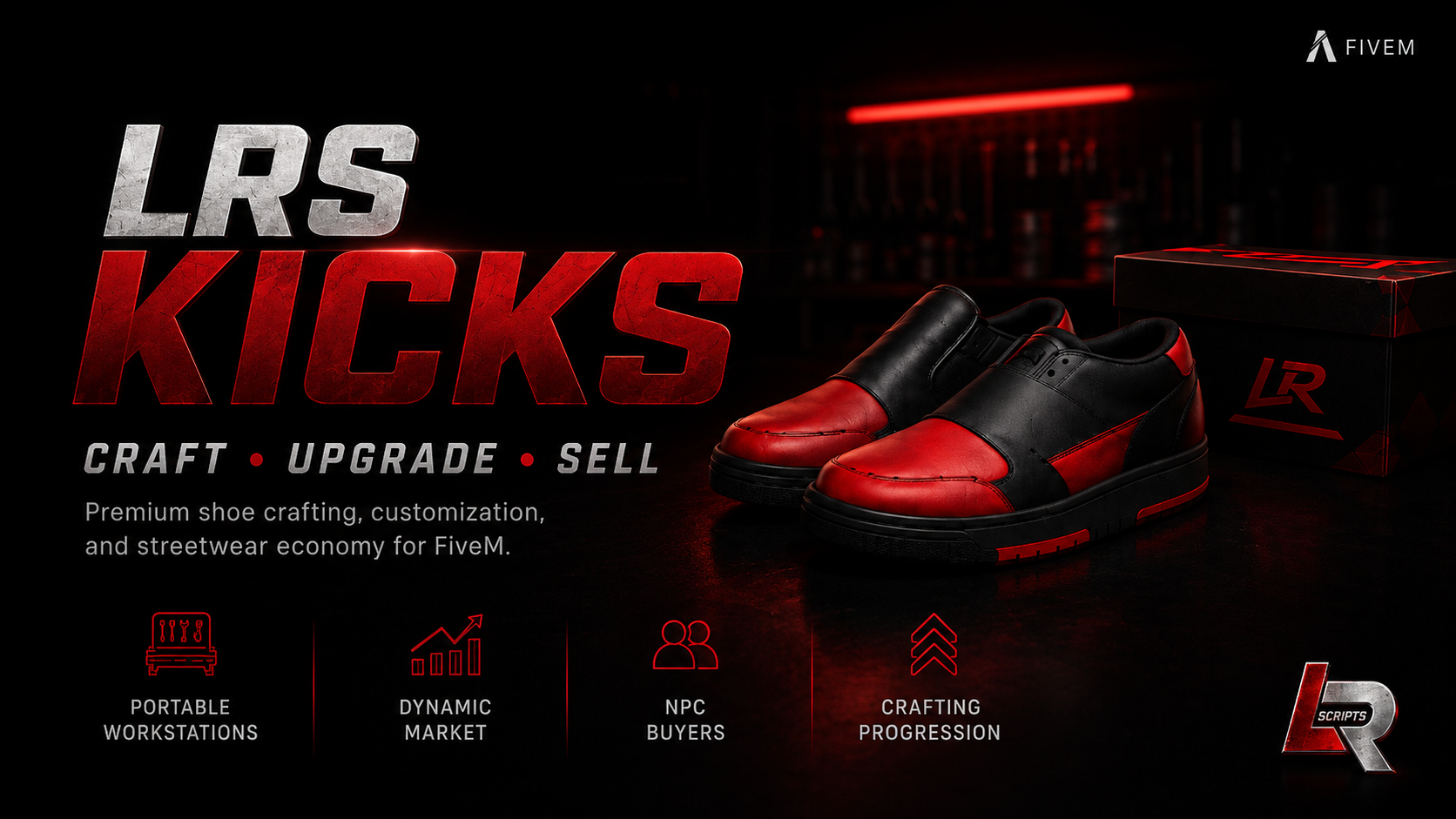
LRS KICKS | Shoe Crafting & Streetwear Economy
LRS KICKS is a premium FiveM shoe crafting and streetwear economy resource by LRSCRIPTS.
Players can build their own shoe brand, purchase materials, place portable workstations, craft custom shoes, improve quality, unlock higher tiers, follow changing market demand, and sell finished pairs to NPC buyers throughout the city.
Features
- Portable placeable shoe workstations
- Upgradeable workstation tiers
- 28 craftable shoe designs
- Multiple collections and colorways
- Shoe size selection
- Material-based crafting
- Crafting XP and reputation progression
- Quality and rarity system
- Unique shoe metadata and serial numbers
- Dynamic market demand and pricing
- NPC buyer system
- Price negotiation / haggling
- Material and equipment shop
- Branded shoebox props
- Player statistics and leaderboards
- Extensive configuration options
- Asset Escrow protected core files
Framework / Dependencies
- QBCore
- ox_lib
- ox_inventory
- ox_target
- oxmysql
- lation_ui
Version: 0.5.7
Author: LRSCRIPTS
CRAFT • UPGRADE • SELL
Build your brand. Craft your legacy.
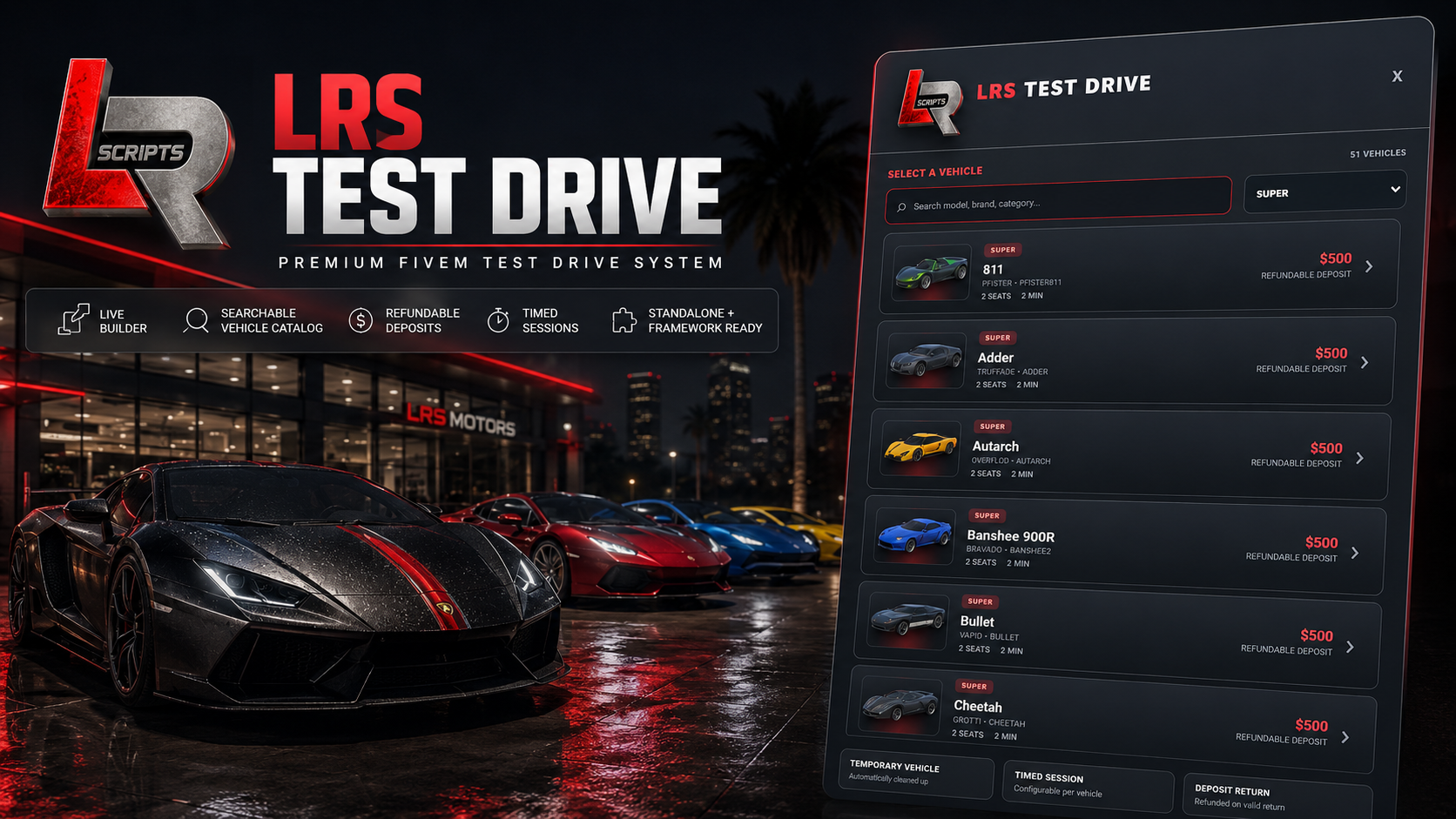
LRS Test Drive | FREE FiveM Test Drive System
LRS Test Drive is a complete FREE test-drive system for FiveM with a built-in in-game location builder, searchable vehicle catalog, timed drives, GPS returns, optional deposits and full standalone support.
Build complete Test Drive locations without manually copying coordinates. Open the builder, name the location, set a unique key, choose your attendant ped, then use live ghost placement to position the attendant, vehicle spawn and return area exactly where you want them.
FEATURES
- Fully Standalone-first
- QBCore support
- Qbox support
- ESX support
- No database required
- In-game Test Drive Builder
- Ghost attendant placement
- Ghost vehicle spawn placement
- Ghost return-zone placement
- Fast 15° placement rotation
- Fine 3° placement rotation
- Ped search and presets
- Configurable ped scenarios
- Optional Test Drive car map blip
- Persistent saved locations
- Edit and delete saved locations
- Real-time location updates without server restart
- Searchable vehicle catalog
- Vehicle category filtering
- Vehicle images / thumbnails
- Support for large framework vehicle catalogs
- Custom and addon vehicle support
- Configurable test-drive duration
- Optional refundable deposits
- GPS-guided return location
- Vehicle cleanup
- Disconnect and timeout handling
- ACE-protected builder
- Kinda Blind accessibility mode
- Super Blind accessibility mode
VEHICLE CATALOG
LRS Test Drive can automatically use supported framework vehicle catalogs where available.
It also supports:
- Custom vehicle lists
- Addon vehicles
- Extra config-defined vehicles
- Vehicle categories
- Excluded models
- Excluded categories
- Vehicle-type filters
- Local custom vehicle images
- Configurable image providers
- Search by vehicle name
- Search by brand
- Search by model/spawn name
- Search by category
IN-GAME BUILDER
Use:
/testdrivebuilder
Create a complete Test Drive location directly in-game:
- Set the Test Drive name
- Set the location key
- Choose the attendant ped
- Choose the ped scenario
- Ghost-place the attendant
- Ghost-place the vehicle spawn
- Ghost-place the return zone
- Enable the optional Test Drive map blip
- Choose the vehicle set
- Save
Saved locations become available in real time.
NOTIFICATIONS
LRS Test Drive automatically prefers LRS Notifications when installed.
Fallback order:
LRS Notify → ox_lib → Qbox/QBCore/ESX → Custom Bridge → Native FiveM
LRS Notify is optional and is not required to run the resource.
CONFIGURATION
Server owners can configure:
- Framework provider
- Notification provider
- Standalone operation
- Deposit behavior
- Deposit amounts
- Refund behavior
- Test-drive duration
- Return radius
- Vehicle spawn clearance
- GPS return settings
- Vehicle catalog sources
- Extra vehicles
- Vehicle exclusions
- Vehicle categories
- Vehicle image providers
- Custom/addon vehicle images
- Key integrations
- Builder ACE permissions
- Ped presets
- Ped scenarios
- Test Drive blip defaults
- Placement distance
- Ghost transparency
- Normal rotation speed
- Fine rotation speed
- Custom framework/economy bridges
FRAMEWORKS
Standalone
QBCore
Qbox
ESX
No framework is required for the core Test Drive system.
DELIVERY
Price: FREE
Version: 1.4.4
Author: LRSCRIPTS
Platform: FiveM
Database: None Required
Core Lua is protected using Cfx.re Asset Escrow while intended configuration, localization and runtime builder data remain accessible.
Free does not mean open source. Redistribution, resale, re-uploading, claiming LRSCRIPTS work as your own or bypassing Asset Escrow is prohibited.
LRSCRIPTS — Premium FiveM Resources
lrscripts.com
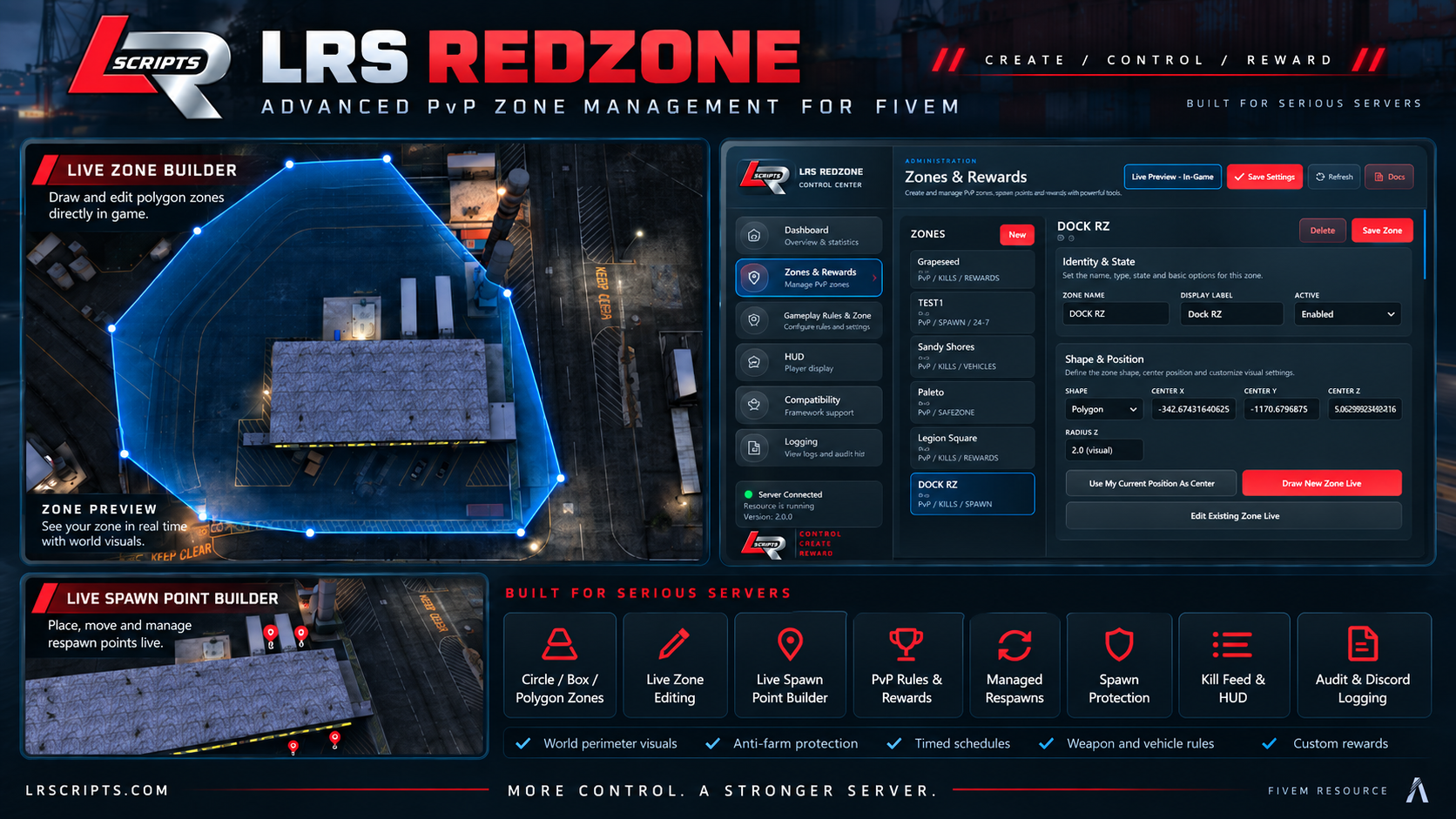
LRS Redzone | Advanced PvP Zone Management
Build and manage fully configurable PvP zones directly in-game with LRS Redzone. Create Circle, Box, and Polygon zones, draw or edit them live, place respawn points, configure weapons and vehicles, control kill rewards and streaks, manage respawns, schedules, HUD settings, anti-farm protection, logging, and more — all through the included admin control center.
Supports QBCore, ESX, Standalone, ox_inventory, and multiple medical systems.
Highlights:
- Live Zone Builder & Editor
- Live Spawn Point Builder
- Circle / Box / Polygon Zones
- Kill & Streak Rewards
- Managed Redzone Respawns
- Spawn Protection
- Weapon & Vehicle Rules
- Anti-Farm Protection
- Timed Zone Schedules
- Custom HUD & Kill Feed
- World Zone Visuals
- In-Game Audit Logging
- QBCore / ESX / Standalone
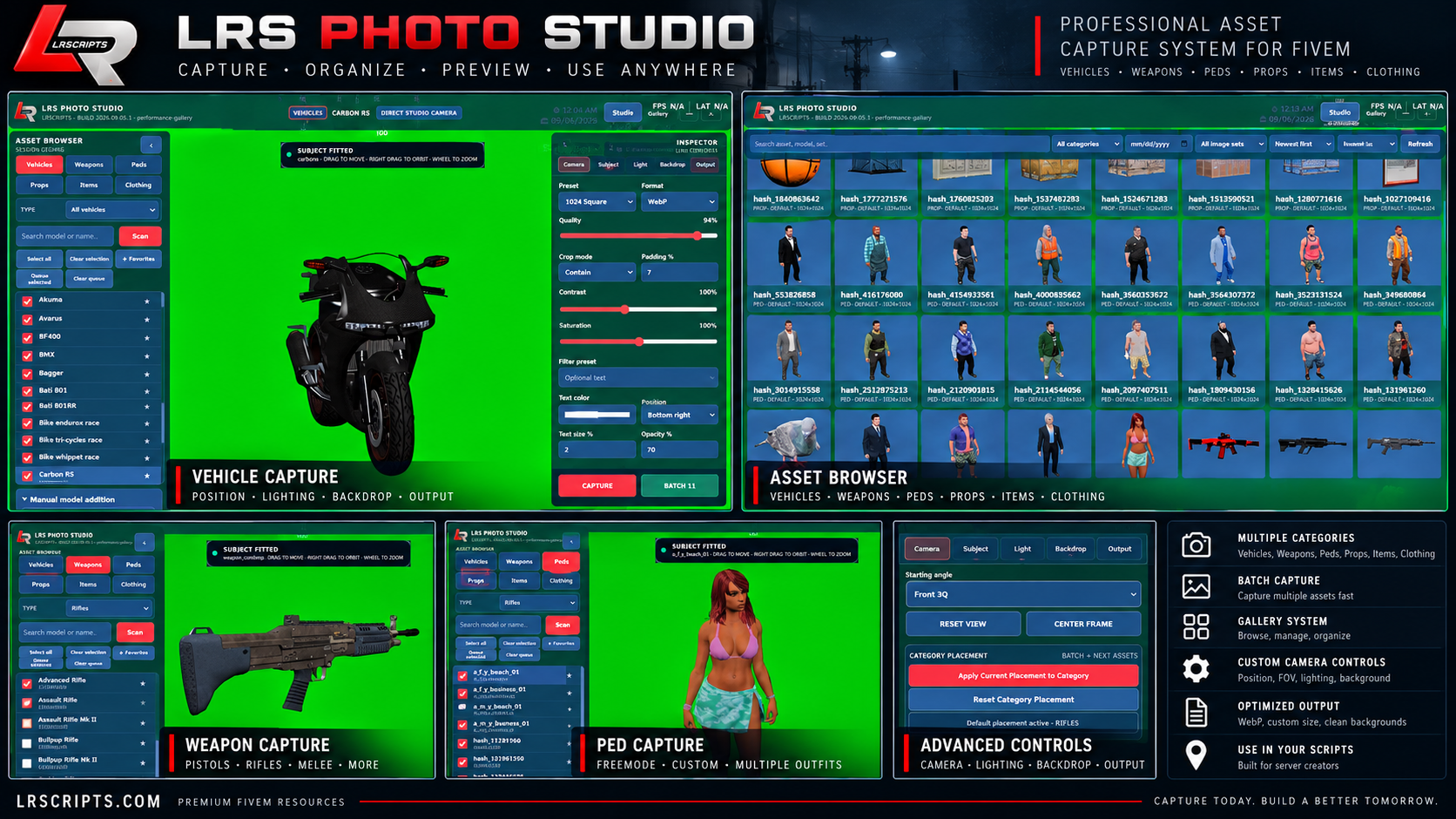
LRS Photo Studio | In-Game Asset Capture System
Turn your FiveM server into a complete asset capture studio with LRS Photo Studio. Capture clean, consistent images of vehicles, weapons, peds, props, items, and clothing directly in-game with full control over camera placement, FOV, lighting, backgrounds, image quality, cropping, output format, and more.
Capture individual assets or process entire batches, then browse and manage everything through the built-in gallery. Perfect for inventory images, vehicle menus, clothing stores, websites, Tebex products, Discord, documentation, and custom scripts.
Highlights:
- Vehicles, Weapons, Peds, Props, Items & Clothing
- Single & Batch Capture
- Category Placement Presets
- Custom Camera & FOV Controls
- Lighting Controls
- Green Screen / Chroma Backgrounds
- Transparent Background Output
- PNG / WebP / JPG
- Custom Resolution up to 4096px
- Crop, Padding, Contrast & Saturation Controls
- Built-In Searchable Gallery
- Recapture & Delete Assets
- Ready for Use in Other Scripts
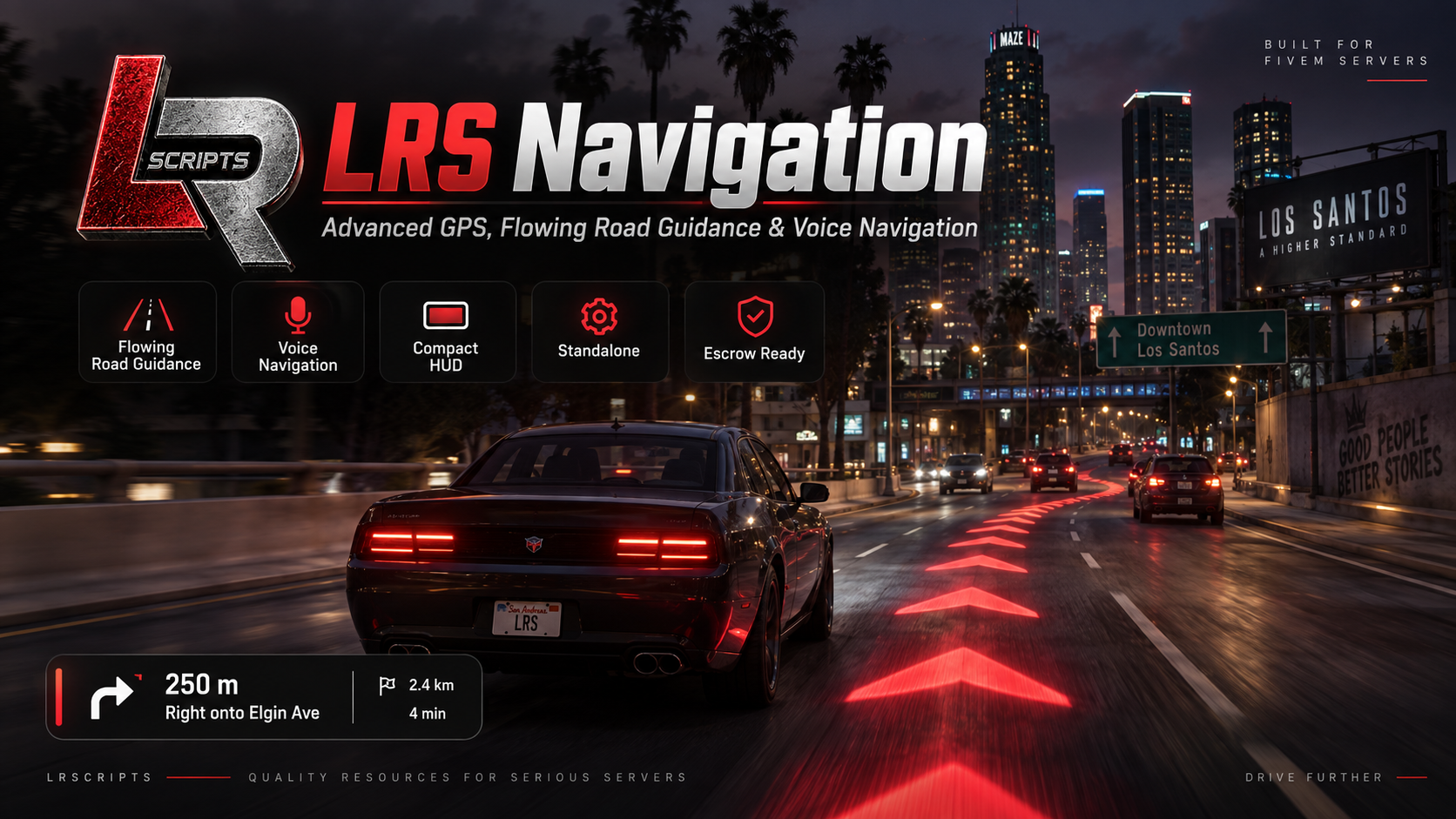
LRS Navigation | Flowing 3D GPS, Voice Guidance & Custom HUD
LRS Navigation is a modern standalone navigation system for FiveM designed to make GTA V GPS guidance more immersive, readable, and customizable.
Instead of relying only on the standard minimap route, LRS Navigation adds animated route guidance directly onto the road, a compact navigation HUD, and spoken turn-by-turn GPS instructions to help players follow routes without constantly staring at the map.
Features include flowing road chevrons, racing-line and hybrid route modes, voice navigation, ETA and distance tracking, upcoming-turn information, arrival detection, unit selection, customizable route colors, adjustable arrow size/spacing/opacity, draggable HUD elements, and multiple HUD styles.
The entire system is managed through the in-game LRS Navigation editor, allowing players or server owners to customize the experience without editing files.
Key Features
- Flowing 3D road navigation
- Spoken turn-by-turn GPS guidance
- Chevrons, Line, Hybrid, and HUD Only modes
- Compact modern navigation HUD
- Distance + ETA display
- Upcoming turn guidance
- Street-name voice support
- Arrival detection
- Miles / kilometers support
- Adjustable arrow scale, spacing, opacity, and distance
- Custom route and HUD colors
- Draggable/resizable HUD
- LRSCRIPTS branded editor
- Standalone — no framework required
- No SQL dependency
- Designed for low-impact FiveM performance
Framework: Standalone
Dependencies: None
Author: LRSCRIPTS
Website: lrscripts.com